
The Cut
Payments built into thecut

Get started with mobile pay

Accept payments through theCut, manage your deposits, and keep your payment information organized all in one place.
Instant Deposits
Secure Payments
Powered by Stripe
Why mobile pay

Why use mobile pay?

Mobile payments
Accept payments in-app with Apple Pay, Cash App Pay, Google Pay and more.
In-app tipping
Clients can add a tip to their payment directly through the app.
Self checkout
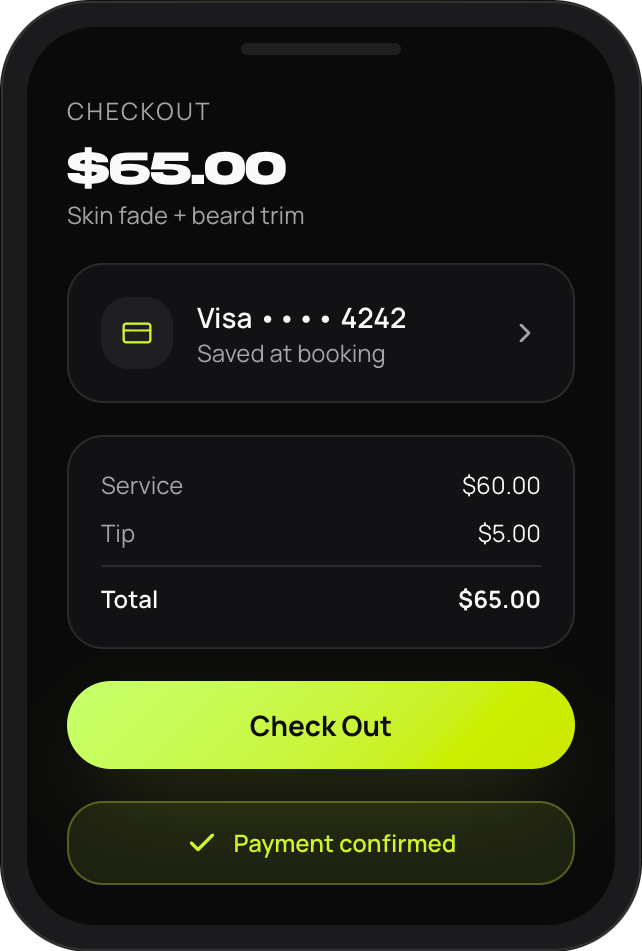
Clients can pay for their cut in-app, after their appointment.
Deposit schedules
Select between daily, weekly, or monthly auto-payouts to fit your needs.
Instant deposits
Available when you need funds in your account immediately.
Setup

Getting started

1
Complete your mobile pay application
Provide your personal or business information to begin the verification process.
2
Verify your identity
Upload a government-issued ID that matches your legal name and date of birth. Additional documentation may be requested if needed.
3
Enable mobile pay
Once your account has been approved, enable Mobile Pay within your booking settings.
4
Clients book with mobile pay
Clients add a payment method when booking. A temporary authorization hold is placed on their card to verify available funds. This is not a charge.
5
Complete checkout
After the appointment, select Check Out to process payment. Mobile Pay appointments are not processed automatically, so checkout must be completed before payment processing begins.
Timeline

What happens after checkout?

After checkout, payments first move through a processing period before becoming available for deposit. Depending on your payout settings and bank processing times, deposits may not appear immediately.

1
Complete your mobile pay application
2
Payment Processed
3
Funds Begin Processing
4
Funds Become Available
5
Deposit Sent According to Your Deposit Settings
Deposits

Standard vs Instant deposits

Standard deposit
No additional fee
  • Funds are sent according to your selected payout schedule
  • Once sent, Standard Deposits typically take 1-2 business days to become available, depending on your bank
Instant deposit
Available for eligible debit cards
  • Funds are sent immediately after checkout
  • Instant Deposits can take a few minutes to an hour or so to arrive, depending on your bank