
Payments built into thecut
Get mobile pay
Accept payments through theCut, manage your deposits, and keep your payment information organized all in one place.


Instant Deposits

Secure Payments

Powered by Stripe

Why mobile pay
Why use mobile pay?

Mobile payments
Accept payments in-app with Apple Pay, Cash App Pay, Google Pay and more.

In-app tipping
Clients can add a tip to their payment directly through the app.

Self checkout
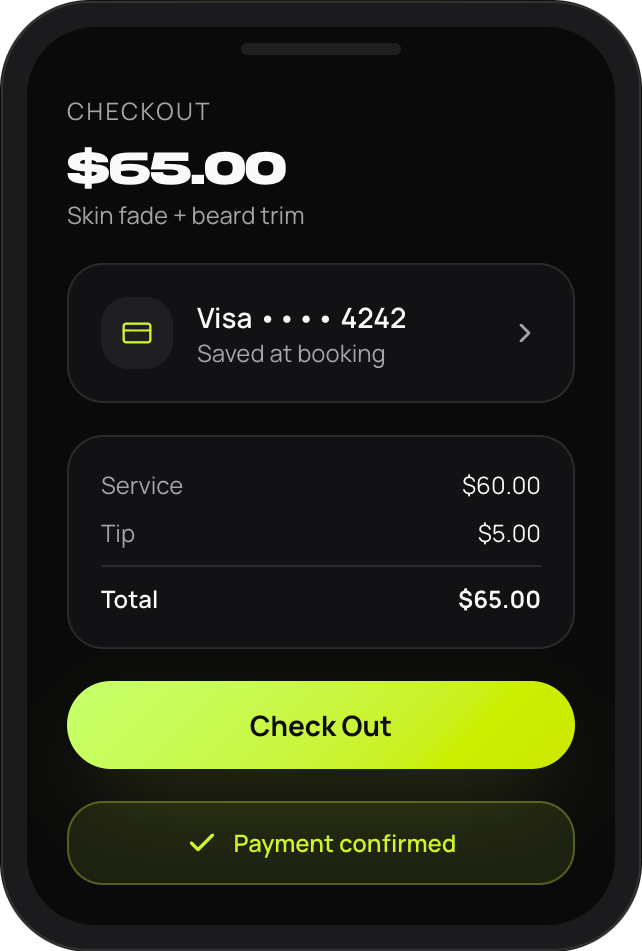
Clients can pay for their cut in-app, after their appointment.

Deposit schedules
Select between daily, weekly, or monthly auto-payouts to fit your needs.
Instant deposits
Available when you need funds in your account immediately.
Setup
Getting started
1
Complete your mobile pay application
Provide your personal or business information to begin the verification process.

2
Verify your identity
Upload a government-issued ID that matches your legal name and date of birth. Additional documentation may be requested if needed.
3
Enable mobile pay
Once your account has been approved, enable Mobile Pay within your booking settings.
4
Clients book with mobile pay
Clients add a payment method when booking. A temporary authorization hold is placed on their card to verify available funds. This is not a charge.
5
Complete checkout
After the appointment, select Check Out to process payment. Mobile Pay appointments are not processed automatically, so checkout must be completed before payment processing begins.
Timeline
What happens after checkout?
After checkout, payments first move through a processing period before becoming available for deposit. Depending on your payout settings and bank processing times, deposits may not appear immediately.
1
Complete your mobile pay application
2
Payment Processed
3
Funds Begin Processing
4
Funds Become Available
5
Deposit Sent According to Your Deposit Settings
Deposits
Standard vs Instant deposits
Standard deposit
No additional fee
- Funds are sent according to your selected payout schedule
- Once sent, Standard Deposits typically take 1-2 business days to become available, depending on your bank
Instant deposit
Available for eligible debit cards
- Funds are sent immediately after checkout
- Instant Deposits can take a few minutes to an hour or so to arrive, depending on your bank
Deposit status
Understanding deposit statuses

Processing
Your payment is being processed before it becomes available for deposit.

In transit
Your deposit has been initiated and has left theCut's payment processor. Your bank is now processing the transfer. Standard Deposits may remain in this status for approximately the first 24 hours before changing to Sent, even though the funds are already on their way.

Sent
The deposit has been successfully issued. Final availability depends on your financial institution.

FAiled deposit
A deposit couldn't be completed because the receiving account couldn't accept the funds. Review your deposit method and update your banking information if needed.
Verification & taxes
Verification, taxes & bank accoutns
Verification requiremetns
- Mobile Pay accounts are verified as part of Stripe’s compliance process
- Additional verification may be requested as account activity grows
- After processing approximately $15,000 or more, Individual accounts may be required to provide additional business verification, including an EIN or other tax documentation, before additional payouts can continue
Business bank accounts
- If an Individual account is connected to a Business bank account, Stripe may request additional verification to confirm ownership
- These requests are part of Stripe’s compliance process and are not unique to theCut
Tax Information
View your account verification details and tax information associated with your Mobile Pay account. If additional documentation is required, you’ll be notified during the verification process.
FAQ
Frequently asked questions
What is a preauthorization?

Why wasn't my client charged automatically?
What's the difference between Standard and Instant Deposits?
Can I choose when I receive standard deposits?
How do I update my bank account or deposit method?
Why did my deposit fail?
Where can I see my transactions?
Where can I track my deposits?
Why don's I see my funds immediately after checkout?
What does "in transit" mean?
How do I complete additional business or tax verification?
Can I update mobile pay from an individual to my business?
How do cancellation and no-show fees work with mobile pay?
Can I refund a mobile pay payment?
Ready to start using mobile pay?
Enable Mobile Pay to begin accepting payments, tracking deposits, and managing your payment information directly from theCut.